AI Chat
Dory AI Chat is built for database work. It is available in two places:
- Chatbot in the left sidebar for open-ended questions about the selected connection.
- Ask AI in SQL Console for help with the current SQL tab, result, and analysis context.
Both entry points use the active connection as context, so start by selecting the connection you want AI to reason about.
Chatbot Page
Use Chatbot when you want a full conversation around the selected database. It is best for generating a first SQL draft, asking what to inspect next, or exploring unfamiliar tables.
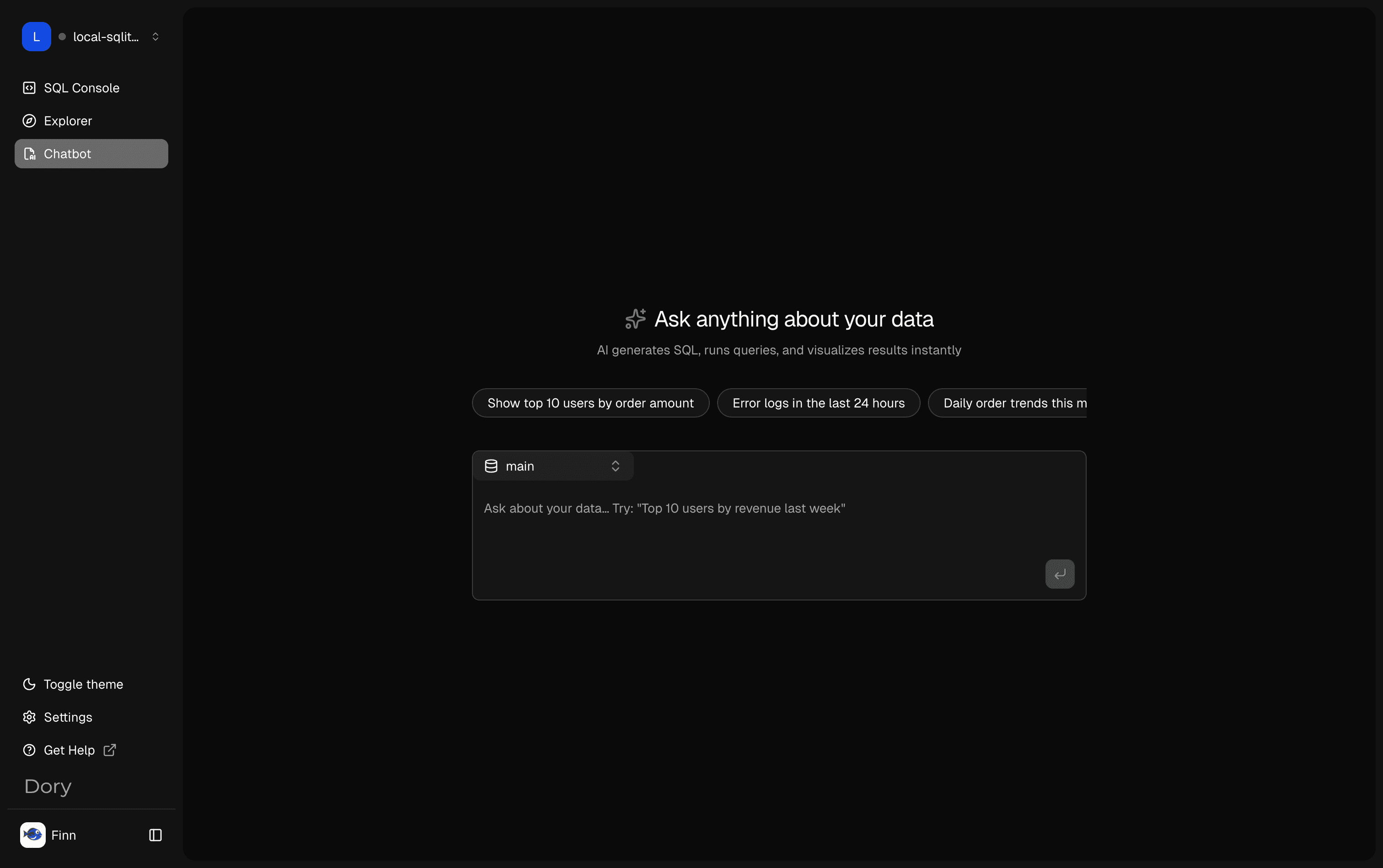
After you ask a question, Dory keeps the conversation in a session and shows the answer next to your prompt.
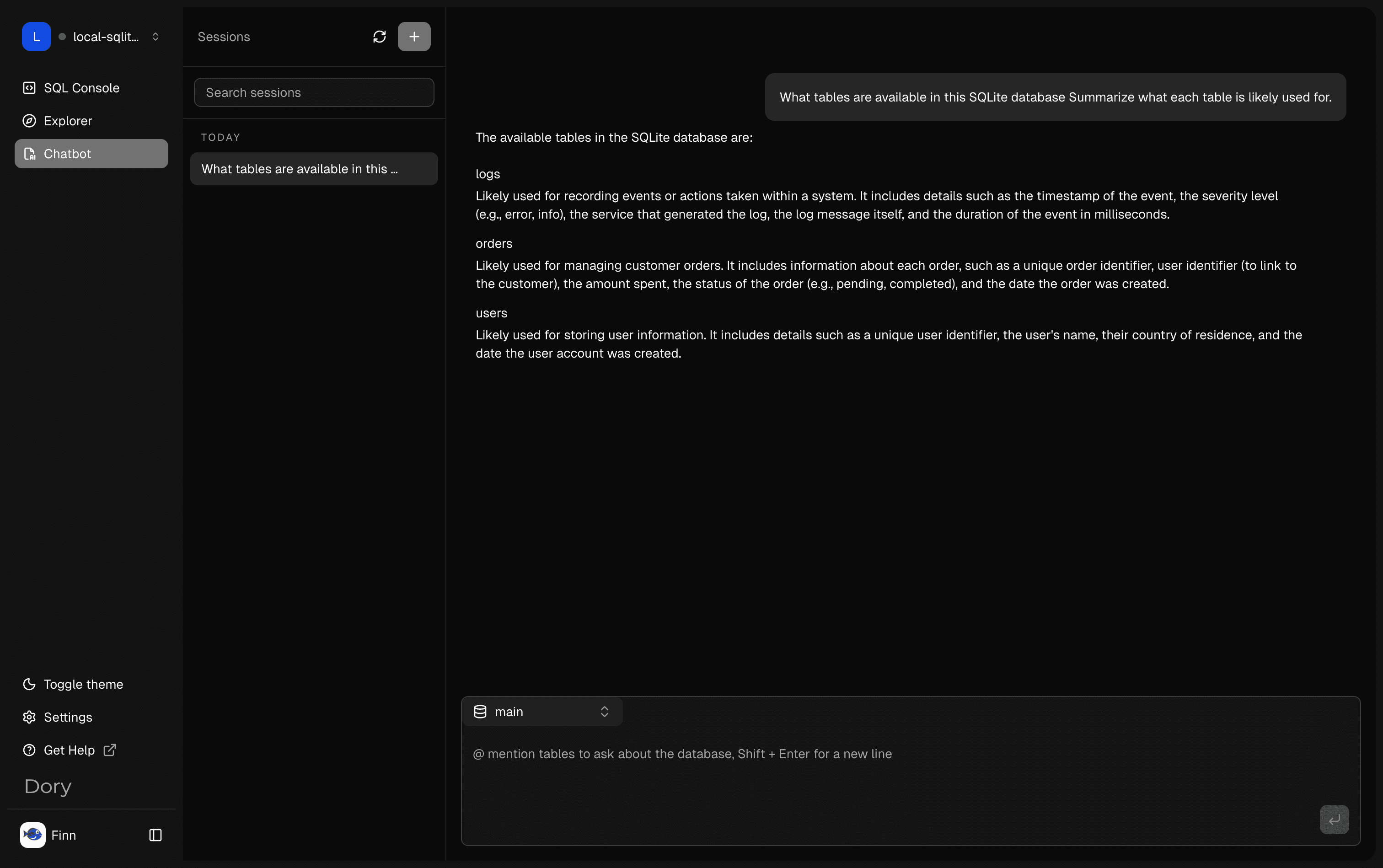
Good prompts are specific about the table, metric, time range, and output shape:
- Show top 10 users by order amount.
- Generate daily order trends for this month.
- Summarize all tables with row counts.
- Find error logs in the last 24 hours.
SQL Console AI Panel
Use Ask AI in SQL Console when you are already writing or running SQL. The panel can work with the current editor content, visible schema, recent execution result, and result shape.
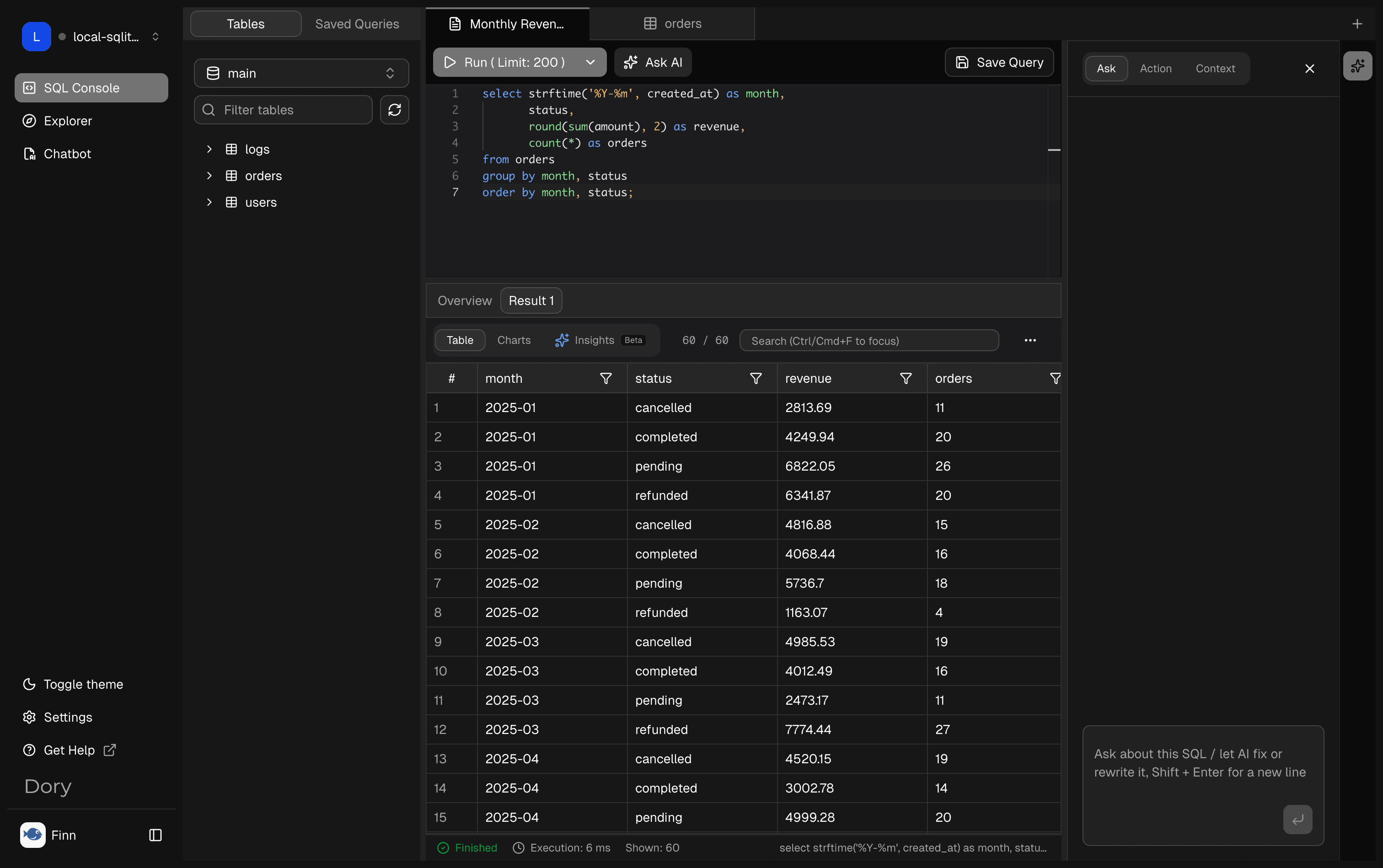
This is the fastest path for:
- Explaining the SQL currently in the editor.
- Fixing a query error.
- Rewriting a result so it is chart-ready.
- Continuing analysis from the current result table.
- Turning a rough query into a reusable Saved Query candidate.
What AI Chat Understands
AI Chat can use context that is already available in Dory:
- Selected connection and database.
- Visible schemas, tables, and columns.
- Current SQL editor content.
- Recent query errors or result shape.
- Chat history in the current conversation.
The context helps AI produce SQL that matches your real schema instead of generic examples.
Recommended Flow
- Select the correct connection.
- Use Explorer to confirm the target table and columns.
- Ask Chatbot for a first draft, or open Ask AI from SQL Console when a query is already in progress.
- Review the generated SQL before running it.
- Run with a safe
LIMITor time range first. - Use follow-up prompts to explain, fix, optimize, or reshape the result.
Best Practices
- Include exact table names when you know them.
- State the metric, dimension, time range, and desired columns.
- Ask for chart-ready output when you plan to use Charts.
- Treat generated SQL as a draft, especially on production databases.
- Prefer read-only queries unless you intentionally need a write operation.
Recommended Next Step
Continue with Generate SQL with Ask AI or SQL Console.
How is this guide?