Connections
Connections are the starting point for most Dory workflows. A connection defines how Dory reaches a database and what credentials it uses.
What You Can Manage
- Database type.
- Host, port, database, username, and password.
- SSL, SSH Tunnel, and deployment-specific options.
- Local database file paths for SQLite or DuckDB.
- Workspace-level organization and naming.
Supported Connection Types
| Type | Typical Use |
|---|---|
| ClickHouse | Analytics, events, monitoring, and operational data |
| PostgreSQL / Neon | Product and application databases |
| MySQL / MariaDB | Business systems and web applications |
| SQL Server | Enterprise applications, reporting, and operational systems |
| Oracle | ERP, finance, enterprise systems, and long-running production data |
| SQLite | Local files, demos, and small datasets |
| DuckDB / MotherDuck | Local analytics and file-based analysis |
Create a Connection
- Open your workspace.
- Choose Add Connection.
- Select the database type.
- Fill in required settings.
- Test the connection.
- Open Explorer to confirm schema visibility.
Desktop SQLite File Flow
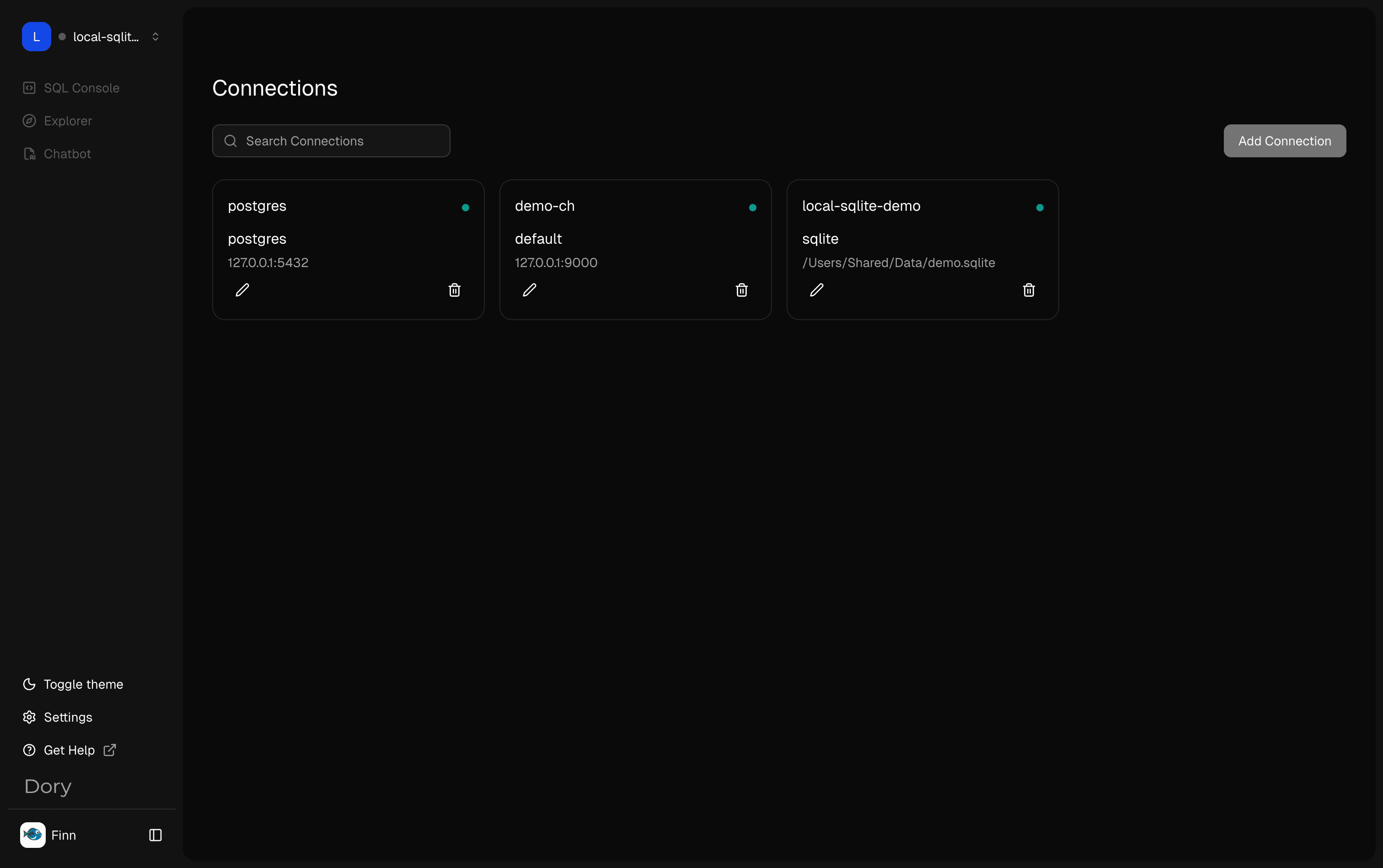
In the Dory desktop app, local SQLite files can be used directly as database connections. This is the common flow for demos, local datasets, and small file-based analysis:
- Open the Dory desktop app.
- Go to Connections and choose Add Connection.
- Select SQLite as the connection type.
- Enter an absolute database file path, such as
/Users/Shared/Data/demo.sqlite. - Create the connection.
- Select the new connection before moving to SQL Console.
For SQLite, importing the file means pointing Dory at the local .sqlite or .db file path. The file remains on your machine, and the desktop runtime reads it through that path.
Connection Checklist
- Use credentials with the least privileges needed.
- Confirm network access from the Dory runtime.
- Use SSL when required by the database provider.
- Use absolute paths for local database files.
- In Docker, mount local file paths into the container.
Naming Recommendations
Use names that make environment and ownership clear, such as:
prod-clickhouse-eventsstaging-postgres-applocal-sqlite-demoanalytics-duckdb-reports
Related Pages
How is this guide?